














Prive Casino login 2026 - Secure sign‑in and account control
A smooth login is the gateway to your balance, bonuses and favourite games at Prive Casino. We have designed the sign‑in process to work identically on desktop and mobile, with clear options for password recovery and quick fixes for the most common errors. Below you will find the exact steps our members follow, along with straightforward security habits that protect your data and funds. Once you have completed a couple of sign‑ins, accessing your account will feel as routine as checking your email.
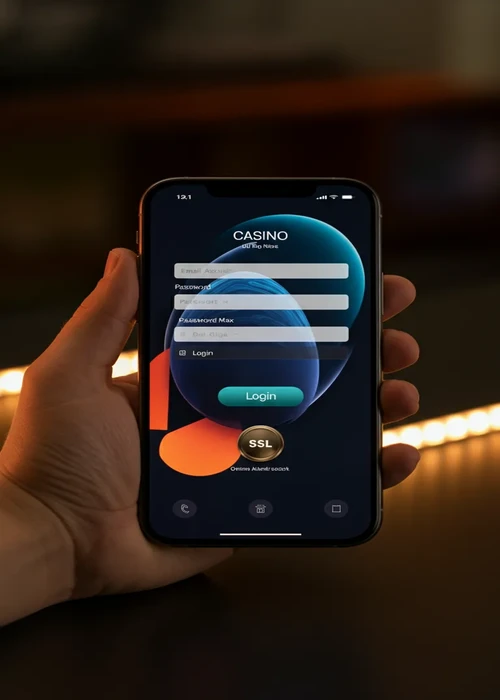
Finding the Prive Casino login button every time you visit
The login button is always in the same place so that access feels predictable. On desktop you will see LOGIN at the top right of the screen, next to the registration button. On mobile it appears in the main header bar and also inside the side menu. Before you click, quickly check the browser address bar to confirm you are on the official site. Once you know where the button sits on each device you use, signing in becomes a natural first step whenever you want to play at Prive Casino.
Understanding every login form field in detail
The login form only asks for two pieces of information: your registered email address and your password. Make sure you always type the same email you used at registration and avoid using work or shared addresses. When entering your password, check that caps lock is not active and that your keyboard layout is correct. If you are playing from a private device, you can allow the browser to remember your email to save time on future visits, or visit our registration page first if you still need to open a Prive Casino account.
- Open the site on your chosen device.
- Locate the LOGIN button in the header or main menu.
- Click or tap it to open the sign‑in window.
- Enter your email and password carefully.
- Confirm and wait a moment for the account dashboard to load.
- Check that you are on the official site before saving any credentials.
Creating a strong password you can still remember later
A strong password is your main defence against unwanted access. Combine upper‑ and lower‑case letters, numbers and symbols in a phrase that only makes sense to you. Avoid using birthdays, names of family members or simple patterns that would be easy to guess. Consider using a reputable password manager so you do not have to memorise every character. Updating your password for your Prive Casino profile a few times per year is a quick habit that significantly raises your security level.
Keeping your login details secret on every device
Never share your password with friends, family or anyone claiming to be support staff. Real employees will help you through secure channels and will not ask for your full password. Do not send login details by email or messaging apps, and avoid writing them on paper where others might see them. Treat your casino account like online banking: only you should ever have access to it.
| Tip | What to do | How often | Main benefit | Risk reduced |
|---|---|---|---|---|
| Update password | Create a fresh, complex password | Every few months | Stronger protection | Guessing attacks |
| Check devices | Use only private phones and computers | Each session | More control | Unauthorised access |
| Log out | End the session from the menu | After playing | Clean account state | Accidental use |
| Review logins | Check last access details | Weekly | Quick anomaly spotting | Hidden intrusions |
| Use secure networks | Avoid public Wi‑Fi for sign‑in | Each session | Safer connection | Network snooping |
Resetting your Prive Casino login details safely
Forgetting a password can happen to anyone, and the reset process is designed to be clear. On the login form, choose the option to recover access and enter the email linked to your account. You will receive a message with a secure link that lets you define a new password without revealing the old one. Make sure you complete the reset on the same device and network you usually use for extra peace of mind. Once finished, test the new password immediately so you know it works. The FCA provides financial guidance.
Dealing with common login errors step by step
If you see an error message, stay calm and read it carefully. Messages about invalid credentials usually mean a typing mistake or an unconfirmed email. Temporary maintenance notices indicate short planned work on the site and not a problem with your account. In rare cases, repeated failed attempts may trigger a short security lock, in which case waiting a little and then using the reset option is the right move. When in doubt, contact support via chat and describe exactly what you see on screen.
- Check that your email address is spelled correctly.
- Confirm that you are using the latest password you created.
- Look for any maintenance notices or timers on the page.
- Use the reset link if you cannot remember your details.
- Reach out to support if problems continue after these steps.
Staying signed in on desktop and mobile without losing security
Staying signed in can be convenient, but it should never come at the cost of safety. On private devices you control, you may allow the browser to keep your session active for short periods. On shared computers, always log out fully and avoid saving passwords. If you suspect that someone else might know your details, change your password and close all active sessions from the account menu. Balancing comfort with caution keeps access quick for you but difficult for anyone else.
Using different devices for your Casino Prive sessions
Many players move between laptop, phone and tablet during the week, and it pays to manage these devices consciously. Make a clear decision about which ones are allowed to remember your login details and which must always require a fresh sign‑in. If you stop using a device, log in from another one and close all existing sessions from the account area so no stray access remains. Keeping this simple checklist in mind prevents old phones, work computers or shared tablets from becoming weak points in your security chain.
Turning secure login into a quick daily habit you trust
After a few visits, safe sign‑in will feel like a natural part of your routine rather than an extra task. You will know exactly where to click, how to type your details and how to recognise official messages from the casino. Strong passwords, careful device choices and regular reviews of your login history will protect your profile over the long term. At Prive Casino we apply the same security standards as online banking, because a well‑protected profile ensures that only you can access your funds and personal data. With these habits in place, you can focus on enjoying games and promotions at Casino Prive, knowing that your account remains firmly under your control.
F.A.Q
Open the site, tap the LOGIN button in the header, enter the email you used at registration with your password, then confirm to reach your player dashboard in just a few seconds.
Click the Forgot password link on the login form, submit your registered email address and follow the reset link sent to your inbox to create a fresh, unique password for your account.
Most failed logins come from typing errors, using an old email, caps lock on the keyboard or an unverified account; check your inbox for activation emails and type your credentials carefully.
Yes, you can have parallel sessions on desktop and mobile, but each will time out after inactivity and you can close all open sessions from the account area for extra security at any time.
Use a strong password, avoid sharing your credentials, disable auto‑login on shared devices and always log out manually after each session, especially when you play on public Wi‑Fi or a work computer.