














Join Prive Casino - Registration in 2 minutes
Opening your account is the first real step on your journey with Prive Casino, and we have made it as simple, clear and quick as possible. Below we walk you through each section of our registration form, outline which documents you may need for verification and explain how to activate responsible gambling limits from the start. By following the steps in order, you avoid common delays with verification or withdrawals. In just a few minutes you will move from visitor to fully prepared member with a secure, verified profile.
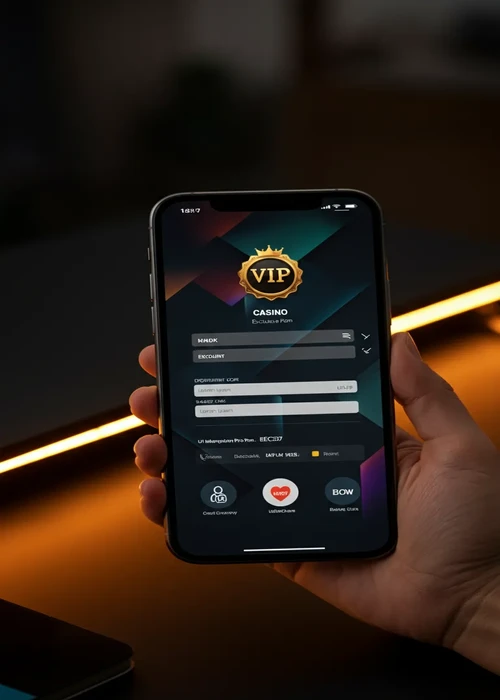
Preparing what you need before registration starts
A smooth sign‑up starts with a bit of preparation. Before you click the registration button, make sure you have access to your primary email account and can read messages on the same device. Keep a recent proof of address such as a bill or bank statement nearby, because the casino may request it soon after you join. Have your identity document ready so you can copy details like exact spelling and expiry dates. Planning these points in advance turns the process into one clean run instead of several interrupted attempts when you open your Prive Casino profile.
Choosing the right email and password for your casino profile
Use an email address that you check regularly and that only you can access. This makes it easier to confirm your account, reset your password in the future and receive important notices about security or payments. Create a password that is unique to the casino and not reused from other websites. Even if it takes a little longer to set up, this one decision greatly improves your account safety.
- Decide which email account you will connect to the casino.
- Check that you can read messages on your current device.
- Think about a strong, unique password in advance.
- Gather your ID and a recent proof of address.
- Set aside five quiet minutes to complete the form without being rushed.
- Verify that your name and address match exactly across all documents.
Completing the Prive Casino sign‑up form
The registration form is split into simple sections so you can move through them step by step. Start by entering your name, date of birth and country exactly as they appear on your documents. Then add your address, phone number and preferred currency. Take a moment to read and accept the terms and privacy policy so you understand how your data is used. Before you press submit, review the full form one more time to correct any spelling or number errors, knowing you can return to our main Prive Casino page for a broader look at games, payments and promotions once your profile is ready.
Confirming your email and your very first login
After sending the form, the casino will email you a confirmation link. Open your inbox, find the message and click the link within a reasonable time so it does not expire. Once confirmed, you can return to the site and use the login button with your new credentials. At this point your profile exists but may still require document checks before large withdrawals. Completing that extra step early keeps the path to future cashouts clear.
Organising documents for faster KYC checks and payouts
You can make identity checks quicker by preparing your files in advance. Store photos or scans of your passport or ID card and a recent proof of address in a secure folder on your device. Make sure each image is sharp, well lit and shows all corners of the document. When the casino asks for verification, you can upload the correct files in one visit instead of searching through old emails or drawers. This preparation often saves days of back‑and‑forth messages.
| Step | Action | Time needed | Key detail | Result |
|---|---|---|---|---|
| 1 | Open registration form | One minute | Use main email | Account shell created |
| 2 | Fill personal details | Two minutes | Match ID exactly | Profile information saved |
| 3 | Confirm email | One minute | Click unique link | Email verified |
| 4 | Upload documents | Three minutes | Clear photos | KYC review started |
| 5 | Set limits | One minute | Choose realistic caps | Safer first play |
Completing verification at Prive Casino and speeding up withdrawals
Verification, often called KYC, is a standard requirement for licensed casinos. You will usually be asked to upload clear photos or scans of your identity document and proof of address through a secure page in your account. Make sure all corners of each document are visible and that text is easy to read. Submitting high‑quality images reduces the chance of the team needing extra copies, which shortens the review time. Once approved, you can withdraw from Prive Casino without repeated checks for most payments, which makes future sessions smoother.
Setting limits and responsible gambling tools that work
Right after your account is live, visit the responsible gambling section. There you can set daily, weekly and monthly deposit caps that fit your real income and other commitments. You can also activate reality check notifications that remind you how long you have been playing. These tools help you keep control at all times, especially during winning streaks or busy weeks. Adjusting limits downwards is always available, while increases may take effect only after a delay to protect you. The NHS offers health resources.
Reviewing your profile details regularly and proactively
Once or twice a year, take a few minutes to review the information stored in your account. Check that your address, phone number and preferred payment methods are still correct. Update expired documents in the verification section so future withdrawals are not delayed. If your circumstances change, such as moving to a new country, contact support to make sure your profile remains compliant. Keeping details current supports smooth play and faster help when you need it.
- Set realistic deposit limits that match your budget.
- Use session reminders to avoid losing track of time.
- Take short breaks between games to reset your focus.
- Consider a cool‑off period if you feel play is getting too intense.
- Contact support for guidance if you are unsure which options to use.
- Revisit your limits after major life changes such as moving or changing jobs.
Keeping your new Prive Casino account safe
Once you have gone through the effort of creating and verifying your account, protect it carefully. Log in only from devices you trust and avoid public computers. Do not share screenshots that reveal your full email or account number on social media. Review your transaction history every so often to ensure all movements match your own activity. Small, consistent checks like these help you enjoy Casino Prive with confidence over the long term, whether you prefer slots, tables or sports.
Starting to play with a fully prepared casino account
With registration, verification and limits in place, you are ready to explore the casino in a calm, structured way. You can now make deposits and withdrawals smoothly, try different game types and decide which promotions interest you most. Knowing that your details are correct and your tools are active takes pressure off each session. At Prive Casino we build every account on a secure footing from day one, because verified profiles backed by modern encryption and responsible gambling tools are the foundation of a positive long‑term experience. From here, your focus can shift from setup tasks to simply enjoying the games and features Casino Prive offers, whether you play occasionally or visit the site several times a week.
F.A.Q
Most players complete the online form and email confirmation in around five minutes, provided that the personal details entered match their identity documents exactly.
You will normally need a clear photo of your passport or ID card plus a recent utility bill or bank statement that shows your full name and address, dated within the last three months.
The operator must confirm age, identity and residency to comply with regulations, prevent fraud and keep accounts protected, so detailed information and document checks are part of that process.
Yes, you can apply deposit, loss and session limits from the very first login and later adjust them, with any increase taking effect only after a cooling‑off period for your own safety.
You can request temporary breaks or permanent closure at any time via customer support; remaining balances are paid out first and then the profile is locked so you cannot log in again.